.png?width=187&height=40&name=AppVentory%20Logo%20(White).png)
How the Integration Works
AppVentory routes all outbound system-generated emails (e.g., invitations, reminders, reports, onboarding, offboarding) through MailChimp/Mandrill using a configured API key and sender identity. MailChimp infrastructure ensures reliable delivery and consistent branding across all communications.
Step-by-Step Integration Process
1. Deactivate Existing Integration
Navigate to the Email Configuration section in AppVentory.
Deactivate any currently active email delivery service (e.g., SendGrid).
AppVentory supports only one active email integration at a time.
2. Connect Intuit MailChimp
Select “Connect Now” under Intuit MailChimp within AppVentory.
A prompt for an API key will appear.
3. Generate MailChimp / Mandrill API Key
Log in to MailChimp using valid credentials.
Access Mandrill (MailChimp Transactional Email) using the same credentials.
Within the Mandrill dashboard:
- Navigate to Settings
- Generate a new API key
- Copy the generated key for use in AppVentory
4. Configure Integration in AppVentory
Paste the API key into the designated field.
Provide the required sender details:
- From Email: Email address used for outbound communication
- From Name: Display name for recipients
Select Verify to validate the API key.
Activate the integration upon successful verification.
5. Manage Integration Settings
Use the Customization icon within AppVentory to:
- Update sender details (From Email / From Name)
- Re-verify API key
- Deactivate integration if required
Integration Capabilities
- Delivery of AppVentory-generated emails via MailChimp/Mandrill infrastructure
- Application of consistent sender identity across all outbound emails
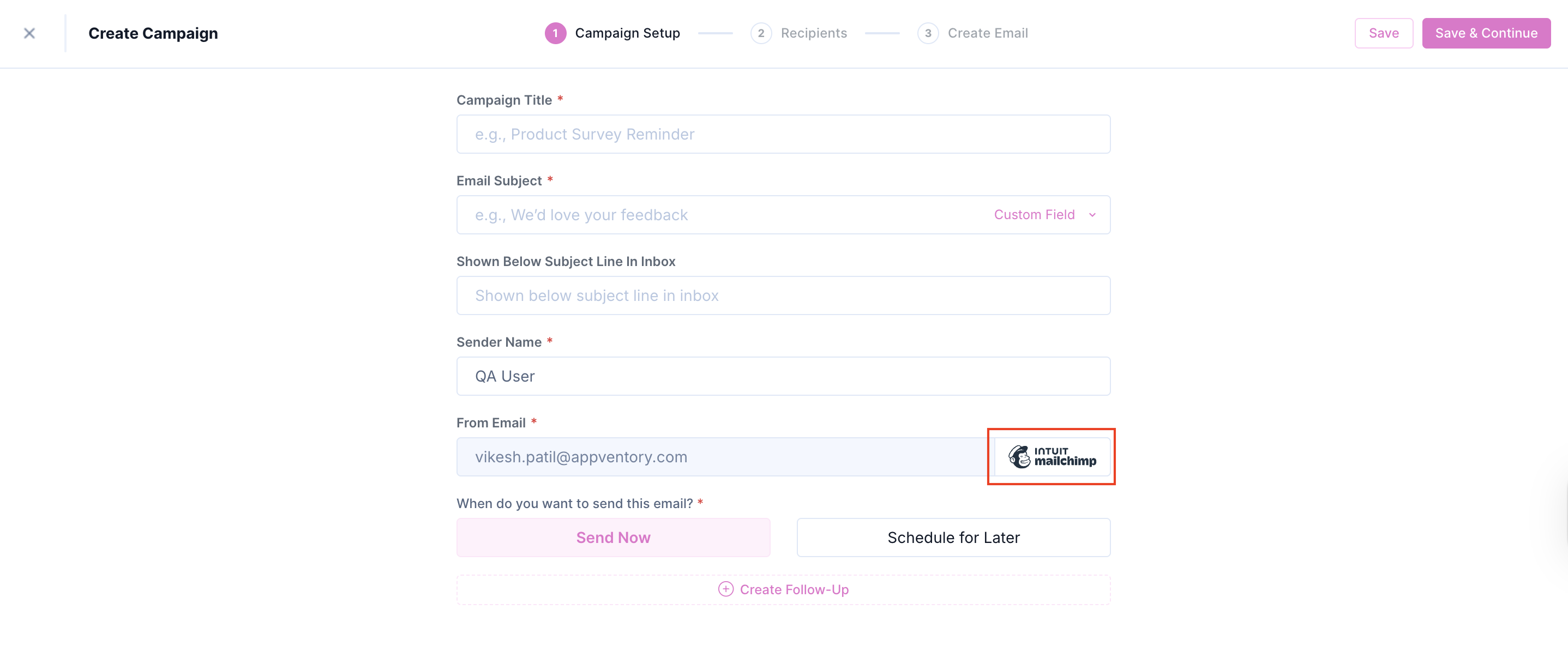
- Automatic synchronization of configured sender email in Campaigns (From Email field)
- Improved deliverability through MailChimp delivery network
- In-app management of API key validation and sender configuration
Integration Limitations
- Outbound-only functionality; no inbound email processing
- No synchronization of MailChimp audiences, segments, templates, or analytics
- No marketing automation integration (MailChimp journeys remain separate)
- No data written back to MailChimp from AppVentory
- Single active email integration restriction within AppVentory
Data Extraction and Synchronization
Extracted Data
|
Data |
Destination in AppVentory |
Usage |
|
API Key (MailChimp / Mandrill) |
Integration Configuration |
Authentication for email delivery |
|
Sender Configuration (From Email, From Name) |
Email Configuration; Campaigns |
Branding and sender identity |
|
Outbound Emails |
Delivered via MailChimp/Mandrill |
High deliverability communication |
Not Extracted or Synchronized
- MailChimp audiences, segments, templates, campaign analytics
- Inbound email data
- Any data updates to MailChimp systems
Security and Data Handling
- Authentication is managed via user-generated API key
- API key can be revoked at any time from Mandrill settings
- Sender identity is fully controlled within AppVentory
- API key verification ensures secure communication between platforms
Integration Outcomes
When Intuit MailChimp integration is active:
- All AppVentory-generated emails are delivered via MailChimp/Mandrill
- Configured sender identity is applied to all communications
- Campaigns automatically reflect configured From Email
- Brand consistency and deliverability are significantly improved
Business Benefits
For Businesses
- Branded system email delivery without maintaining independent infrastructure
- Consistent communication identity across all notifications and workflows
- Alignment with existing MailChimp-based delivery environments
For Advisors and Accountants
- Client-facing communications reflect firm branding
- Improved professionalism in onboarding and engagement workflows
- Reuse of existing MailChimp infrastructure for operational efficiency
Switching Integrations
Transition between SendGrid and MailChimp is supported through a simple deactivate-and-activate process within AppVentory, enabling flexibility based on operational requirements.
If you need further assistance, please contact our dedicated customer support team at support@appventory.com, who will assist you with anything else you need. We take pride in providing exceptional service experiences, and our commitment to client satisfaction is at the heart of everything we do.